

Where to Get Thousands of Creatives for Traffic Arbitrage in 2026: A Case Study with TYVER
By 2026, creative research has turned into one of the most expensive parts of traffic arbitrage. Making a banner or a video is easy; the hard part is understanding what is actually worth testing for a specific GEO and vertical. If you go in blind, the budget burns on angles that no longer deliver a decent CTR or do not pass moderation at all.
That is why more and more media buyers rely on competitor ad analysis. A spy tool shows which ads are currently running on Facebook, how long they stay live, which pre-landers they use, and what landing pages they send traffic to. This helps quickly filter out weak ideas and avoid spending money on obviously dead approaches.
In this article, we will break down how to search for creatives with Tyver Spy and show, with real examples, how to find converting angles for different verticals.
What Is Tyver Spy
Tyver is a Facebook ad spy tool. Media buyers use it to see which ads competitors are running right now, which creatives stay live the longest, and which landing pages those campaigns are sending traffic to.
For a media buyer, it’s more than just an ad archive. The main value is that the tool lets you quickly narrow down the search to a specific task.
For example, if you need creatives for gambling, you can search by game name, GEO, or the Gambling category. In nutra, buyers usually search by offer names and audience pains as queries: joints, weight loss, anti‑age, male enhancement and other sub‑niches.
Tyver adds over 3 million new ads to its database every day and supports 120+ GEOs. You can search by keywords, pages, domains, URLs and creative formats.
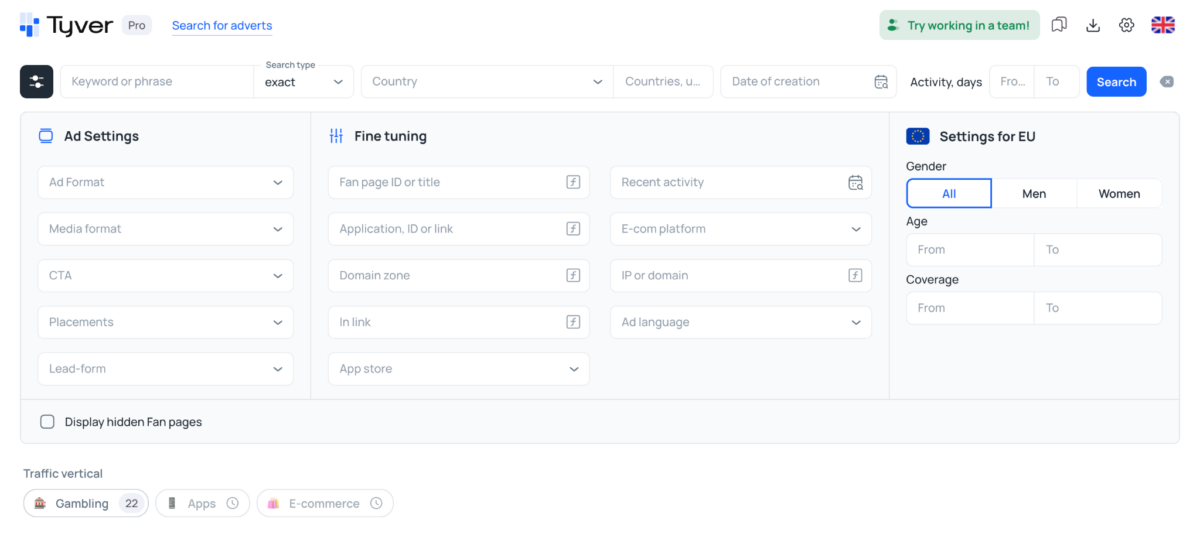
Next, we’ll look at how these features work in practice: first gambling, then dating and e‑commerce.
How to Search Creatives for Gambling
In the latest update, Tyver made it easier to find gambling creatives. Inside the Gambling section, they added subcategories for specific slots and crash games: Aviator, Plinko, Sweet Bonanza, Chicken Road, Gates of Olympus and other popular titles.
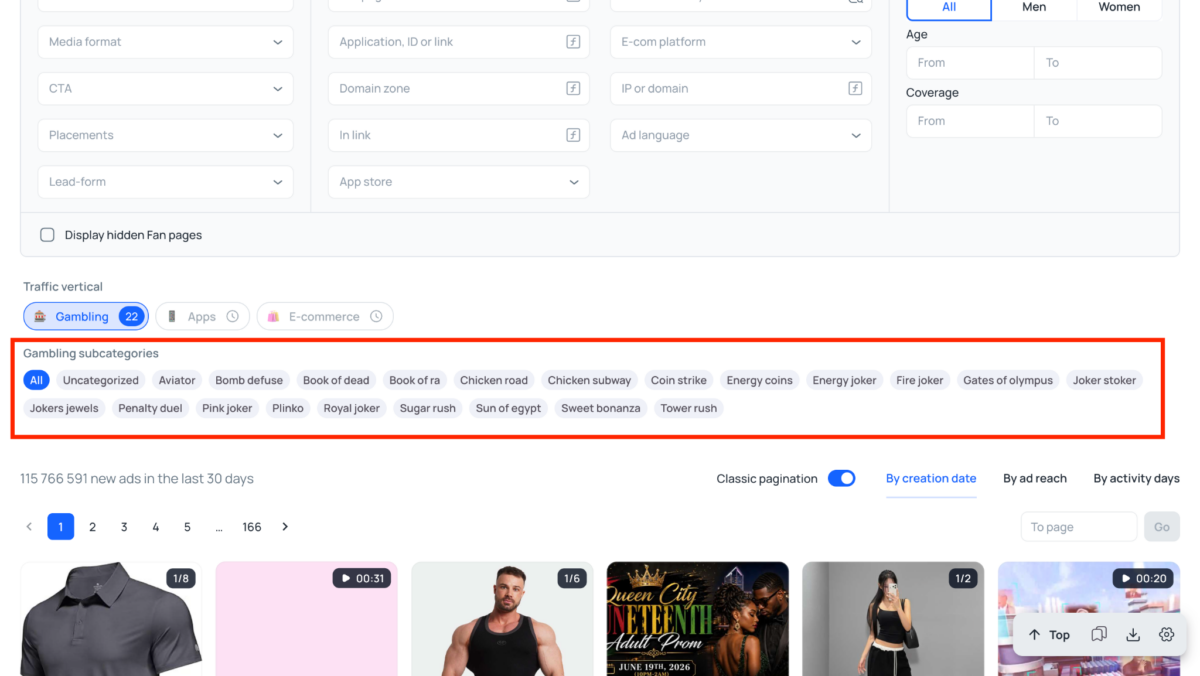
Previously, you had to manually test keywords in different languages and scroll through a lot of irrelevant ads. Now you can simply pick the game you need in the interface, and Tyver will show creatives that media buyers are running specifically for this product. This is useful when you want to quickly check how a particular slot is being pushed across different GEOs and which patterns show up in the feed most often.
Below, we will break this down on three examples: Aviator, Plinko and Sweet Bonanza. We will show how to use subcategories to quickly collect ads for a specific game and see which creatives are actually worth testing
Aviator
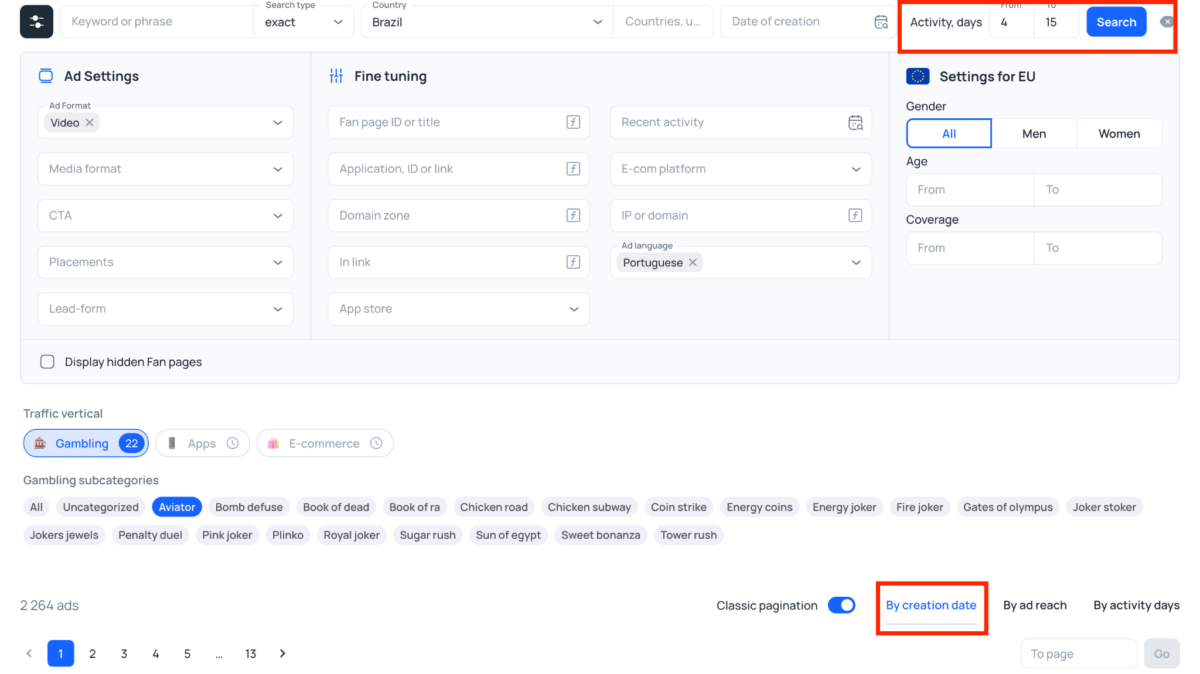
Let’s take Brazil and see how to search for current creatives for Aviator. Most media buyers push this crash game with video creatives. To keep the results as relevant as possible, we set the following filters:
- Ad format: Video
- Country: Brazil
- Language: Portuguese
- Gambling subcategory: Aviator
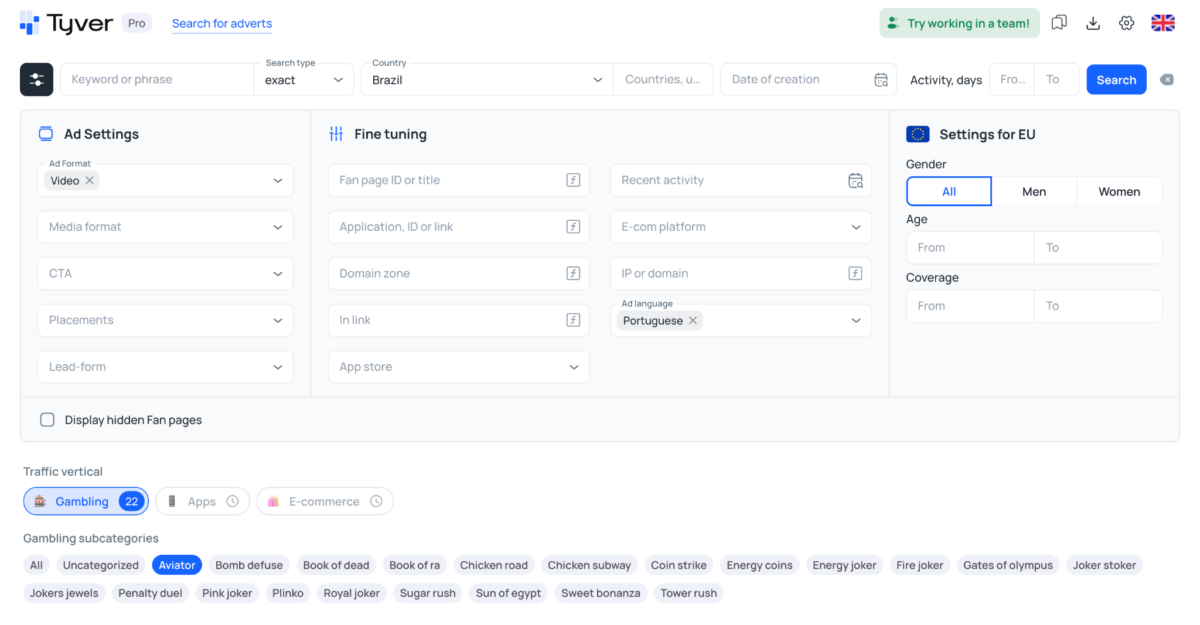
Tyver returns around 3,900 ads, most of which are clearly arbitrage campaigns.
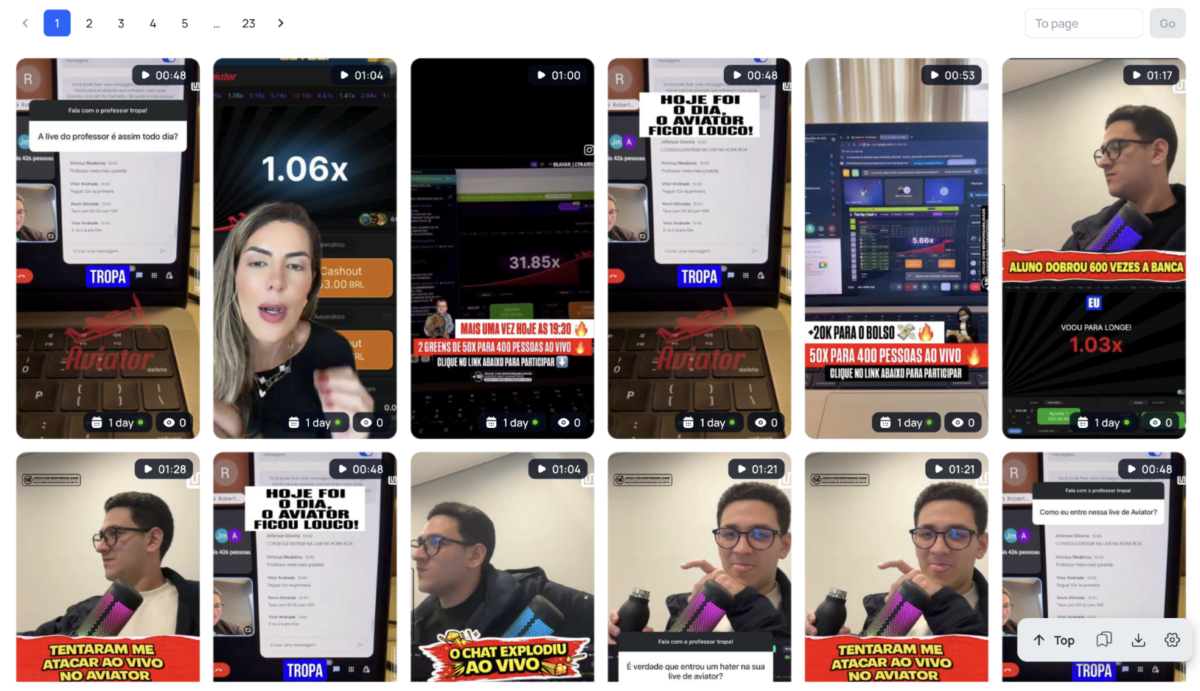
To narrow this down and see working approaches, we use:
- Activity, days: from 4 to 15
- Sort by: Creation date
Already on the first page you can see a buyer pushing the same concept very aggressively from multiple fan pages.
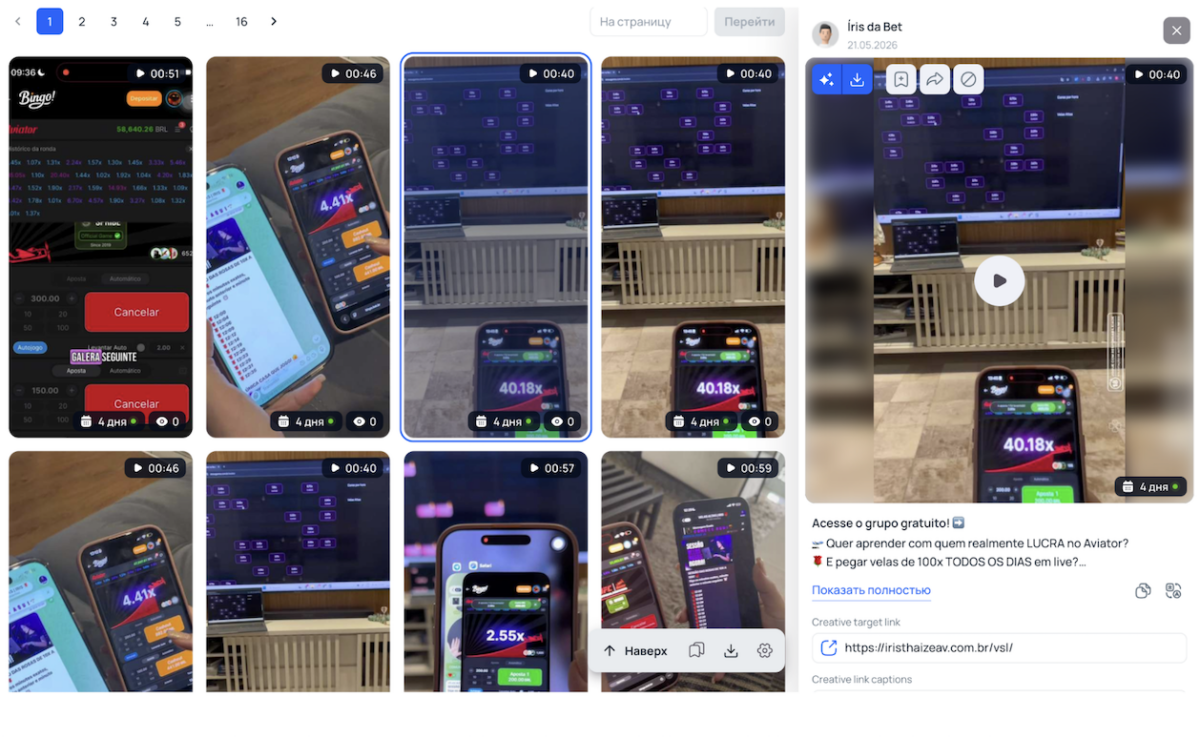
Scroll down inside the creative card to the «Similar Ads» block, click «By FB Page» and then open any ad from the list. This way you land on the media buyer’s fan page.
Apply the «By Activity Days» filter and you will see a lot of creatives in the same format on this page. The approach is simple: pure gameplay. A person is holding a phone and showing the Aviator game process on screen.
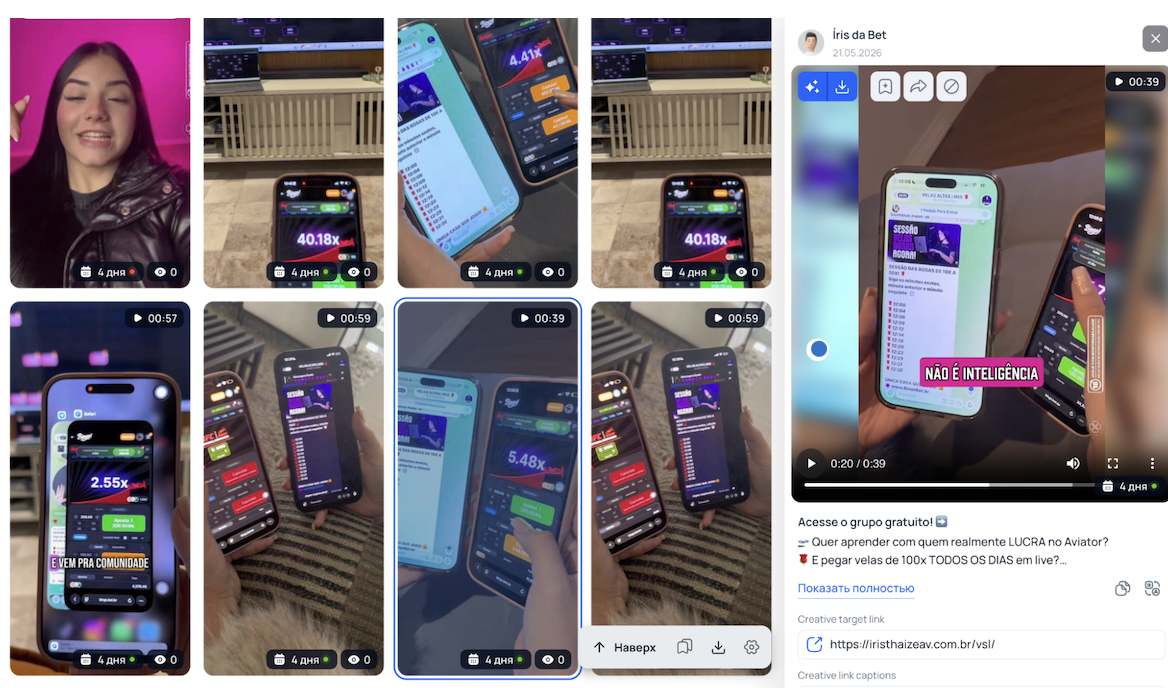
Some of these ads ran for more than 4 days. For gambling, that is a solid sign: if the format was not bringing deposits, the buyer would not keep relaunching it on the same fan page. This means you can take this approach as a base when you prepare your own creatives for Brazil.
Plinko
Now let’s look at Plinko with the same logic. For this example we take South Africa and set the filters as follows:
- Ad format: Video
- Country: South Africa
- Gambling subcategory: Plinko
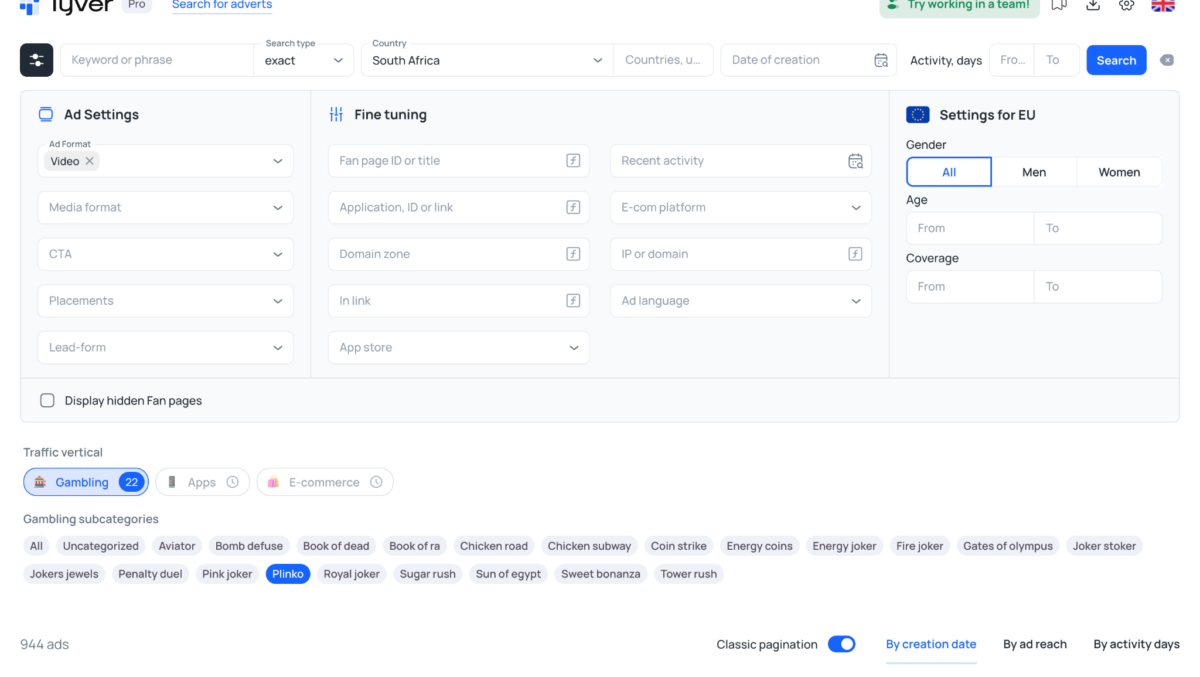
Tyver shows 917 ads. In the feed you immediately see several repeating creatives for Plinko: some are simple gameplay on a phone, others are static images with bonuses, local currency and the South African flag.

Next, open the most frequently seen creative and go to «Similar Ads», «By FB Page». This brings you to the advertiser’s fan page, where you can see which creatives they ran for the same GEO.
On the fan page it is clear that the buyer re‑uploaded the same static format several times.

The creative packs all the basics for South Africa: amount in ZAR, welcome offer, free spins, the national flag and local bank logos.
Several ads with this format were running for about a week. So the buyer did not just test this static once, but kept relaunching it. The conclusion is the same: this format is safe to use as a base when you build Plinko creatives for South Africa.
How to Search Dating Creatives
Now let’s switch to dating creatives. As a GEO, we take Spain and use a narrow keyword mujeres cerca de ti (women near you) to immediately surface arbitrage‑style ads in the feed.
Tyver returns just over 100 ads. Already on the first page you can see a dating creative: a short vertical video with a girl on camera.
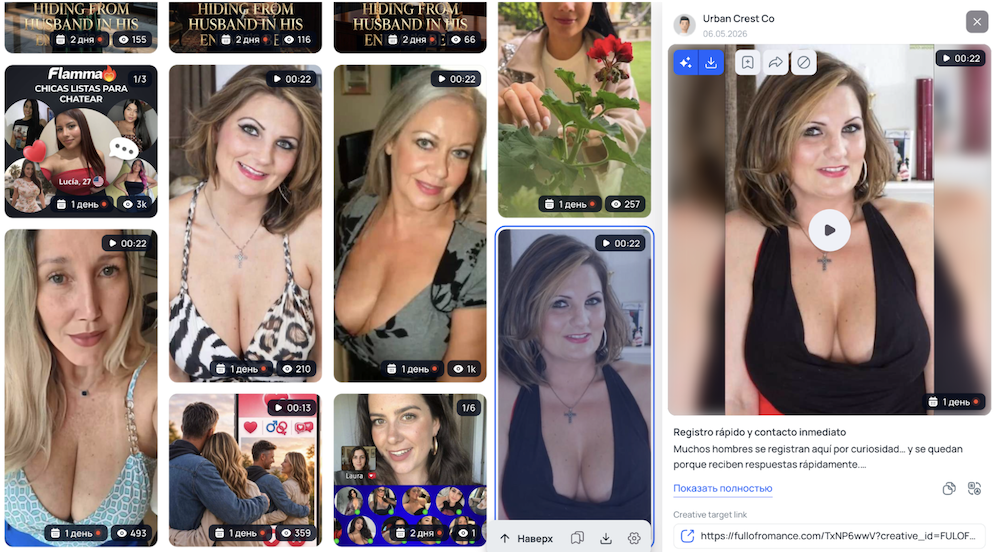
Next, we open the advertiser’s fan page and sort ads by reach. In the list you can see that the buyer was actively pushing this concept very recently: several creatives ran for 2–3 days and picked up around 9–14 thousand reach.
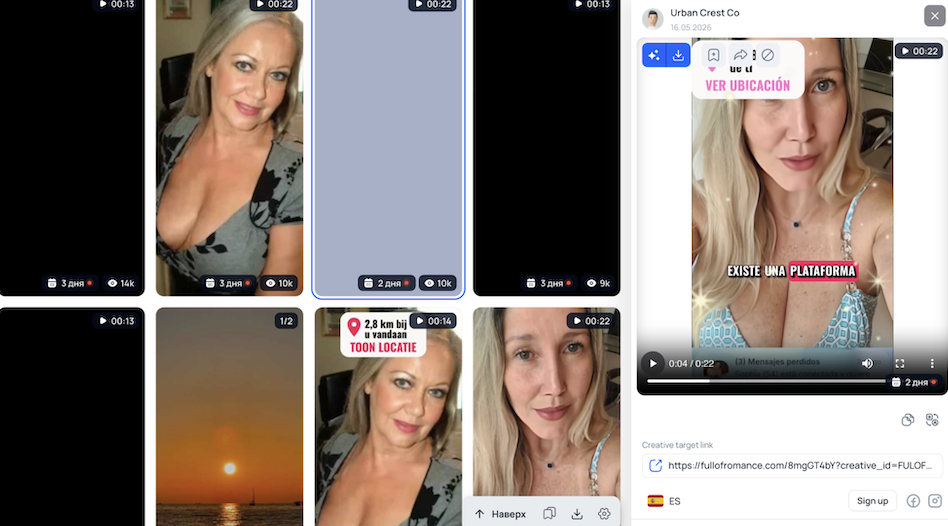
These numbers show that the format hooks the auction and resonates with the audience. You can safely use this type of setup as a base when you prepare dating creatives for Spain.
How to Search Creatives for Physical Products and E‑commerce
Tyver also works well for classic e‑commerce. In general, there are two main ways to use it here.
If you already picked a specific offer, you just type the product name into search to collect references and see which creatives competitors are running right now.
If you do not have a product yet, you monitor the overall feed by product categories. The goal is to probe the auction and spot fresh items that other teams are actively pouring budgets into at this moment.
Let’s say you still do not know what exactly you want to promote. First, you pick a GEO, for example, the US.
Next, you need to build a list of keywords. You can use an AI assistant for that with a prompt like:
«Give me keywords for a spy tool that will only show whitehat e‑commerce and dropshipping products in the feed. Include the most popular product types that are actively sold in the US right now»
Then you go through the list and plug each keyword into Tyver search, making sure you also set the right ad platform in the filters.
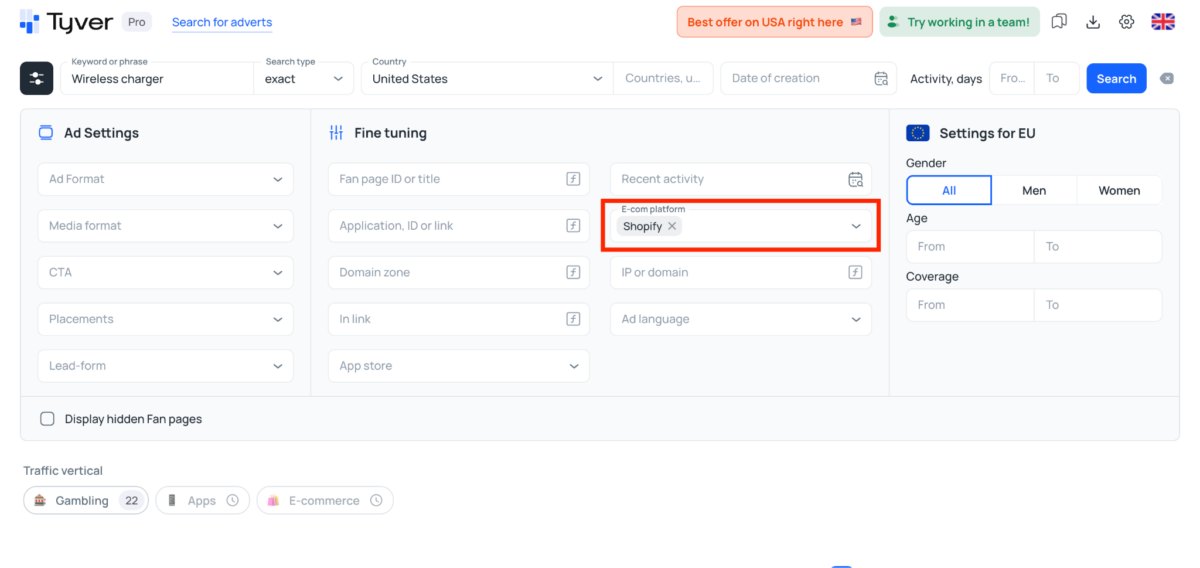
For example, with the query «Wireless charger», Tyver returns only about 50 ads, but they are highly relevant.
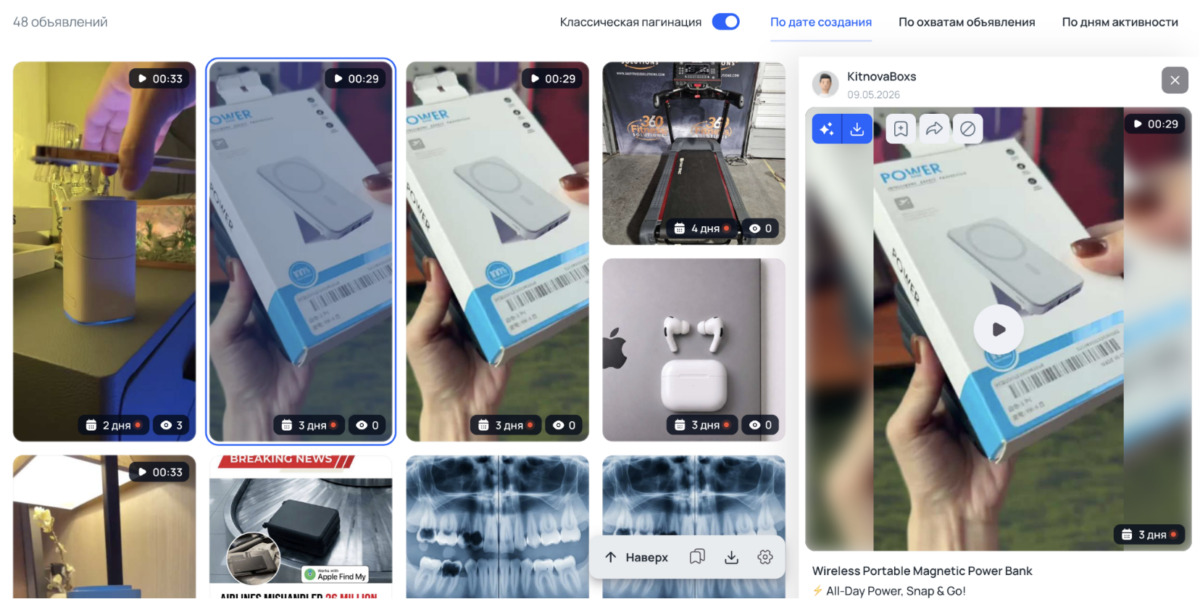
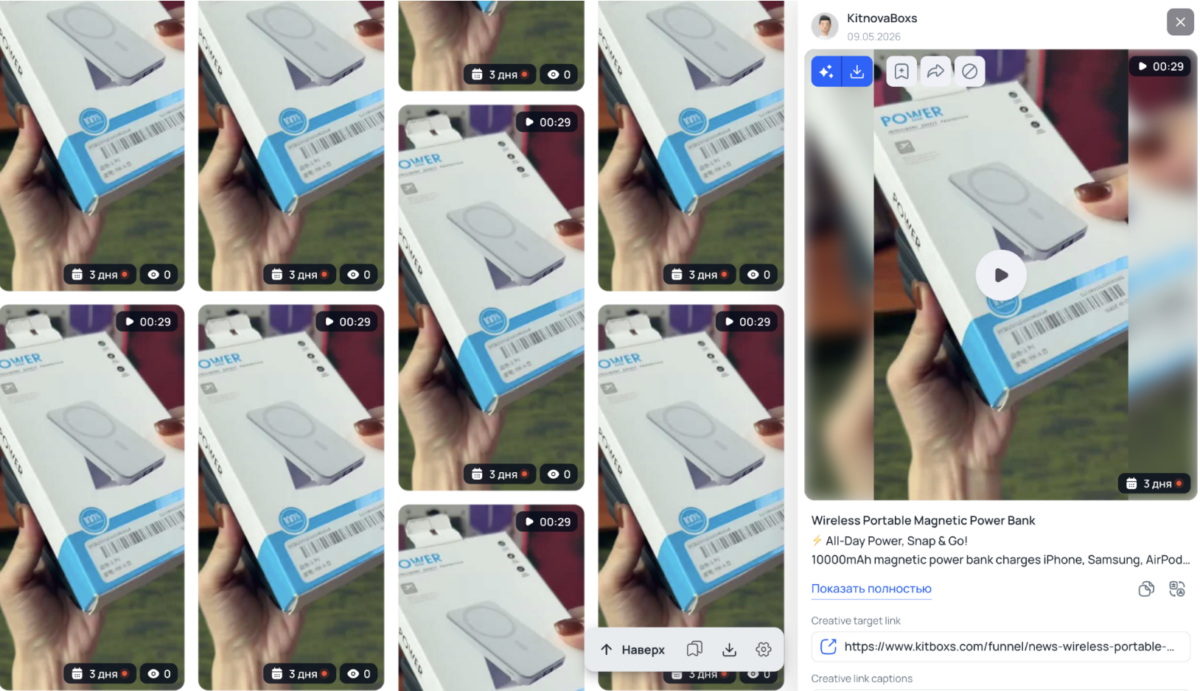
When you open the advertiser’s fan page and sort creatives by activity days, you immediately see two main products: a wireless charger and a home tool kit.
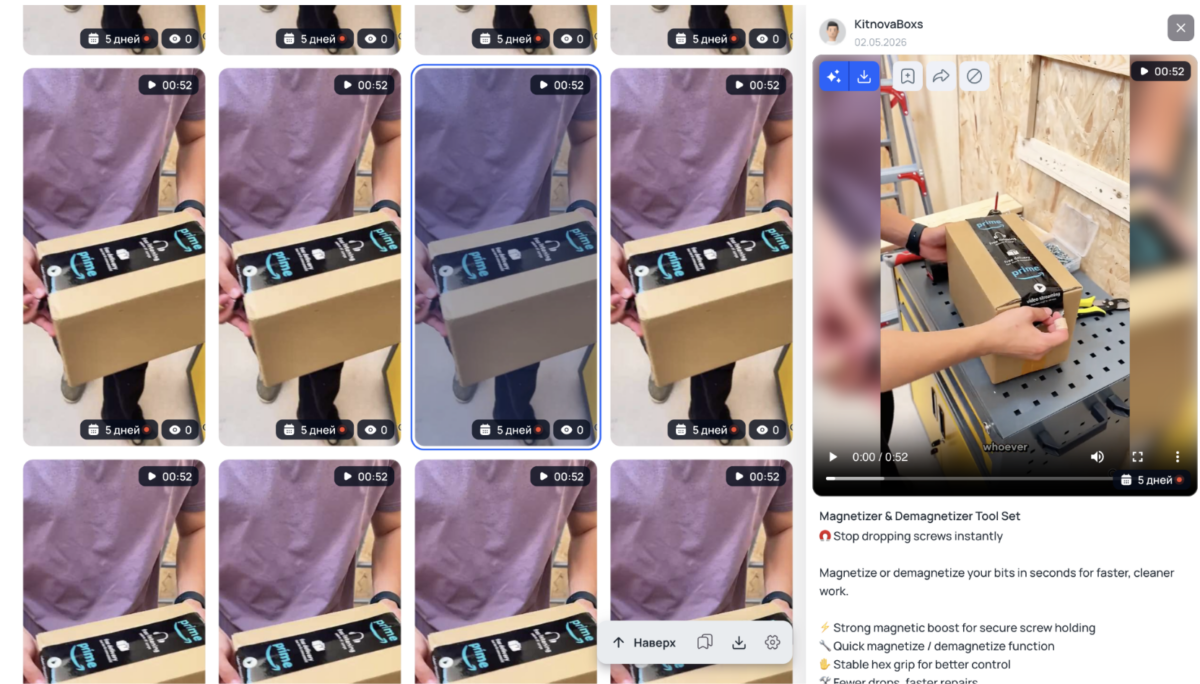
The page is packed with duplicates of these two videos: in total there are more than 600 ads. This clearly shows that these products are in demand in the US, and similar offers can be taken into testing.
Conclusion
In 2026, spy tools save both time and budget on creative research. With Tyver, you can quickly see what other media buyers are running in a given vertical: which ads keep showing up in the feed, which approaches are relaunched on the same fan pages, and how many days specific creatives stay live.
This keeps you from testing completely blind. или This eliminates blind testing. The feed immediately shows which ideas competitors are actively scaling and which creatives are better to skip. After that, all you need to do is adapt the working concepts to your own offer and funnel.
Disclaimer: The views, opinions, and content expressed in this article are those of the author and do not represent the official position, policies, or endorsements of the company.